For teams that turn seminars and webinars into one-on-one deals
Scheduling and seminars? Just ask your AI.
Booking pages, seminar registration and forms, all in one place. Ask your AI assistant and it builds the pages and drafts the invites for you. Or set everything up yourself in a few clicks.
Free plan available · No credit card required. Try every feature free for 14 days. Get set up with your Google account in about 10 minutes.
* Example with Madoake's AI integration (MCP) connected to your AI assistant. New pages are saved as drafts; you review and publish them in Madoake.
For sales and event teams
4 tasks takes off your plate


 Scheduling
BeforeEmail a list of times, wait for a reply, add it to your calendar, then send the meeting link
Just share your booking page link. The calendar event and meeting link are added automatically
 Seminars
BeforeCopy registrations into a spreadsheet, send reminders the day before, then send thank-you emails
Just add the dates. Confirmations, day-before reminders and thank-you emails go out on their own
 Inquiries
BeforeReply to the inquiry, then start yet another email thread to find a meeting time
People who fill out your form go straight on to booking a meeting
 Marketing results
BeforeNo idea which ad, email or trade show a lead came from
Every booking and registration records its source
Bookings, seminars and forms in one dashboard
Set it up, hit save, and you're live. Bookings land in Bookings, and seminar registrations and form responses land in Registrations & responses, newest first, each with its source.
Booking pages
Only your open calendar slots are offered. When someone books, the calendar event and video meeting link are created automatically.
- 1Choose your available days, hours and meeting length
- 2Your booking page is ready
- 3A guest picks an open time
- 4Calendar event, meeting link and confirmation email: all automatic
Once a booking comes in, everything else is automatic
- 1Publish your booking page
- 2A guest picks a time
- 3Meeting link created automatically
- 4Confirmations and reminders sent
- 5Your host gets notified




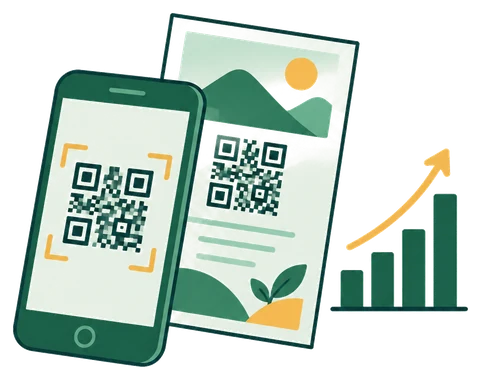
See what every ad, email and flyer brings in
Create a tracking link and QR code for every channel. Each booking and registration records which link it came from.
| Channel | Clicks | Bookings | Registrations |
|---|---|---|---|
| October newsletter | 128 | 6 | 2 |
| Trade show flyer (QR) | 42 | 1 | 5 |
| Sales rep's business card (QR) | 15 | 2 | 0 |
Why
3 things scheduling tools don't do
- 1Runs your seminars end to end
Capacity and deadlines for every session, automatic Zoom Webinar registration and attendance import, promo images, reminders and thank-you emails.
- 2Track every lead from first click to meeting
Every booking, registration and response keeps its source, and each tracking link shows its clicks and bookings.
- 3Start free, then pay per company
Use one booking page on the Free plan, free forever. Paid plans start at ¥3,000/month (about $20) for up to 5 hosts, and the Seminar plan is ¥8,000/month (about $53).

The most powerful way to use it | AI integration (MCP)
Pair it with AI, and just ask for the rest
On its own, already automates the emails, calendar events and records after someone signs up. Connect an AI like Claude, and it can also help with planning and promotion beforehand, and with reviewing results afterward. Because bookings, seminars, forms and sources all live in one place, the AI sees the full picture.
Show me this week's bookings and where each one came from
You have 3 bookings this week.
- Tue 10:00 · Acme Corp · Newsletter
- Wed 14:00 · Northwind Trading · Trade show flyer QR
- Thu 11:00 · Globex Industries · Google Ads
Create an intro to generative AI seminar for business owners in November
Done. I saved it as a draft (unpublished) and created a promo image. Review the details, then publish when you're ready.
for beginnersOnline · Thu, Nov 20 · 15:00 – 16:00 JST
- Date
- Thu 11/20, 15:00 – 16:00 JST
- Venue
- Online (Zoom)
- Capacity
- 30
- Status
- Unpublished (draft)
Try it in claude.ai (3 steps)
- 1In Claude, go to Customize → Connectors and choose “Add custom connector”
- 2Enter this URL and add it
https://madoake.com/api/mcp - 3Log in on the screen that opens, then click “Allow”
ChatGPT, Claude Code, Cursor and any other AI that supports MCP can connect too.Setup guide for each AI
More things you can ask for
- “Create a booking page for 30-minute consultations, weekday afternoons only”A draft booking page with available hours and intake questions, ready for you to review
- “Make a tracking link for our trade show flyer”A link with a QR code, so you can measure the results later
- “Based on the survey responses, who's likely to book a consultation?”Reads the responses and lists the most promising leads
- “List the seminar we just created on Eventbrite, too”Paired with Claude's browser control (Claude in Chrome), it can go as far as posting to external sites
A person always reviews before anything is published or posted. AI can't delete, cancel, or email your guests.
Built for teams that win deals one-on-one, after a seminar or info session
If you're juggling an event registration tool like Eventbrite, Zoom, Google Forms, a scheduling app and spreadsheets, replaces them with one tool.

- Law & accounting firmsFrom estate-planning and tax seminars to one-on-one consultationsAttendees book a consultation right from the post-seminar surveySee how it works for you →
- Consultants & IT companiesFrom free webinars to sales meetingsSee exactly which campaign turned into a sales meetingSee how it works for you →
- Schools & training providersFrom info sessions and trial classes to consultations and enrollmentInfo sessions and consultations in one placeSee how it works for you →
- Recruiting at small and midsize companiesFrom company info sessions to interview schedulingInfo sessions, interview booking and application forms map directly to the 3 featuresSee how it works for you →
- Trade show exhibitorsHand out QR codes at your booth and turn visitors into meetingsMeasure the results of every showSee how it works for you →
- Teams running monthly seminars or info sessionsStill copying registrations into spreadsheets and sending reminders by handRegistrations and emails, fully automatedSee how it works for you →
Integrations
Bookings and registrations flow automatically into your calendar, video meetings, chat and email marketing tools.

- Google Calendar
- Microsoft 365 Calendar
- Google Meet
- Microsoft Teams
- Zoom
- Slack
- Notion
- Brevo
- Google Analytics
- AI agents (MCP)
Get started
Publish your first booking page in about 10 minutes.

- 1Sign upSign up with your Google account and enter your company name.
- 2Create a booking pageConnect your calendar and choose your available hours.
- 3Share the linkAdd it to your website, emails or business cards, and you're ready to take bookings.
Pricing
A Free plan that's free forever, plus 2 paid plans. Everyone gets a 14-day free trial with every feature. If you don't subscribe after the trial, you simply move to the Free plan. Prices in JPY, excluding tax.

Start small. One booking page and one form, free forever.
¥0 / month- 1 booking page and 1 form
- 1 free seminar (no ticket fee) per month
- Up to 30 submissions per month (bookings, registrations and responses combined)
- 1 host taking bookings
- Need more? Upgrade to a paid plan for unlimited submissions
Take one-on-one consultations and inquiries with booking pages and forms.
¥3,000 / monthAbout $20/month. Checkout shows the price in your local currency.
- Booking pages (guests book open times on your calendar; meeting links are created automatically)
- Forms and surveys (guests can book right after responding)
- Tracking links and QR codes (results by source)
- Up to 5 hosts (¥500 (about $3)/month for each additional host)
- Billed yearly: ¥30,000 (about $200)/year (2 months free)
Everything in the Booking plan, plus tools for running seminars and info sessions.
¥8,000 / monthAbout $53/month. Checkout shows the price in your local currency.
- Everything in the Booking plan
- Capacity and registration deadline per session, reminder and thank-you emails
- Registrant management for Zoom Webinars, Google Meet and Teams, plus announcement images
- Up to 5 hosts (¥500 (about $3)/month for each additional host)
- Billed yearly: ¥80,000 (about $530)/year (2 months free)
No per-seat pricing. Each extra host is just ¥500 (about $3)/month, so the more people you add, the less you pay per person.
For organizations with 100 or more hosts, we offer a custom plan sized to your team.
Talk to us about a custom planUse every feature free for 14 days. If you don't subscribe, you simply move to the Free plan. You're never charged automatically.
Frequently asked questions
Can I keep using it for free?
Yes. The Free plan includes 1 booking page, 1 form, 1 free seminar (no ticket fee) per month and up to 30 bookings, registrations and responses per month. Once you hit the limit, new submissions pause until the next month. Upgrade to a paid plan for unlimited submissions.
Will I be charged automatically when the trial ends?
No. You're never charged until you add a card and subscribe to a plan. When the trial ends, you move to the Free plan and keep taking bookings (1 booking page and 1 form, up to 30 submissions a month, and so on).
Do you provide invoices and receipts?
Yes. You can view and download monthly invoices and receipts under Plan & billing in the dashboard. We accept credit cards.
Can I pay in US dollars or my local currency?
Yes. Prices are set in Japanese yen (¥3,000/month is about $20). At checkout, card payments from outside Japan are shown and charged in your local currency at that day's exchange rate.
Can I remove the “Powered by Madoake” label from my booking pages?
Yes. Add the branding removal option to a paid plan (¥3,000/month or ¥30,000/year, excl. tax — about $20 or $200). Order it from Plan & billing in the dashboard and the label disappears right away.
Can I change the colors of my booking pages?
Yes. Set your brand color, and it's applied to the booking, registration and form pages your guests see.
Does it work with Microsoft 365 (Outlook) calendars?
Yes. Each host can connect either Google Calendar or a Microsoft 365 calendar. For hosts with a work or school Microsoft 365 account, Teams meetings are created automatically for bookings and seminars.
Can I get notifications in Teams?
Yes. Register a webhook created with Teams Workflows in Notifications & integrations, and new bookings, seminar registrations and form responses are posted to your channel. Slack notifications are available too.
Can I use it from AI tools like Claude or Cursor?
Yes. Madoake supports MCP. Issue an API key under AI (MCP) in the dashboard, and your AI can list bookings, registrations and responses, or create booking pages, seminars, forms and tracking links. Anything the AI creates is saved as a draft, so a person always reviews it before publishing.
Become one of our first case studies
Share your story, and we'll work with you on pricing
We're looking for teams willing to let us feature how they use Madoake: what got easier, and what results they saw. If you're open to being a case study, we'll work out special pricing with you. Any industry, any size. We'd love to hear from you.
Apply to be a case study
Try it free for 14 days
No credit card required. Publish your first booking page in about 10 minutes.